Is WikiCamps NZ worth it in 2027? It only costs NZ$7.99, but since WikiCamps' big update you need an account to use it, and the app shows ads even though you paid for it. Lots of users also say the new version is harder to use and keeps logging them out. We make KiwiCamping, a New Zealand camping app with no account, no ads and every DOC campsite, hut and track on one map, and here is why it is worth the switch.
Is WikiCamps NZ worth it? The short answer
WikiCamps NZ is cheap, and plenty of people still use it. The catch is what came with the new version: an account to sign into, a code sent to your email, and ads in an app you have already bought.
Many WikiCamps users say it keeps logging them out, which is no fun when you are parked somewhere with no signal. If you would rather open an app and simply see where to camp tonight, KiwiCamping is built for that.
| WikiCamps NZ | KiwiCamping | |
|---|---|---|
| Price | NZ$7.99 | Free to download, with in-app purchases |
| Account | Needed, with a code by email | None |
| Ads | Yes | None |
| DOC campsites, huts and tracks | Added by users | Every one, from DOC |
| Choosing several filters | Users say places match any of them | Places must match all of them |
- Cheap, but needs an account
- Ads in a paid app
- KiwiCamping: no login, no ads
No login, no ads, straight to the map
Open KiwiCamping and you are already looking at the map of New Zealand. There is no account to create, no password to remember and no code to wait for, so there is nothing to get stuck behind at a West Coast campsite.
Pick a filter, tap a place to see its fees and facilities, and add it to your trip. That is the whole routine. There are no ads anywhere, and your saved places and trips sync privately through the iCloud already on your iPhone.
- Opens on the map
- Nothing to sign into
- No ads anywhere
Every DOC campsite, hut and track
KiwiCamping is built on the Department of Conservation's own information. Every DOC campsite, hut and track is on the map with its fee, its dog rules and whether you need to book, plus a link to DOC's page when you are ready.
DOC's freedom camping notices are in there too, so you can see where camping on conservation land is off limits before you pull in. Around towns and beaches, the council's rules and the sign at the site still decide.
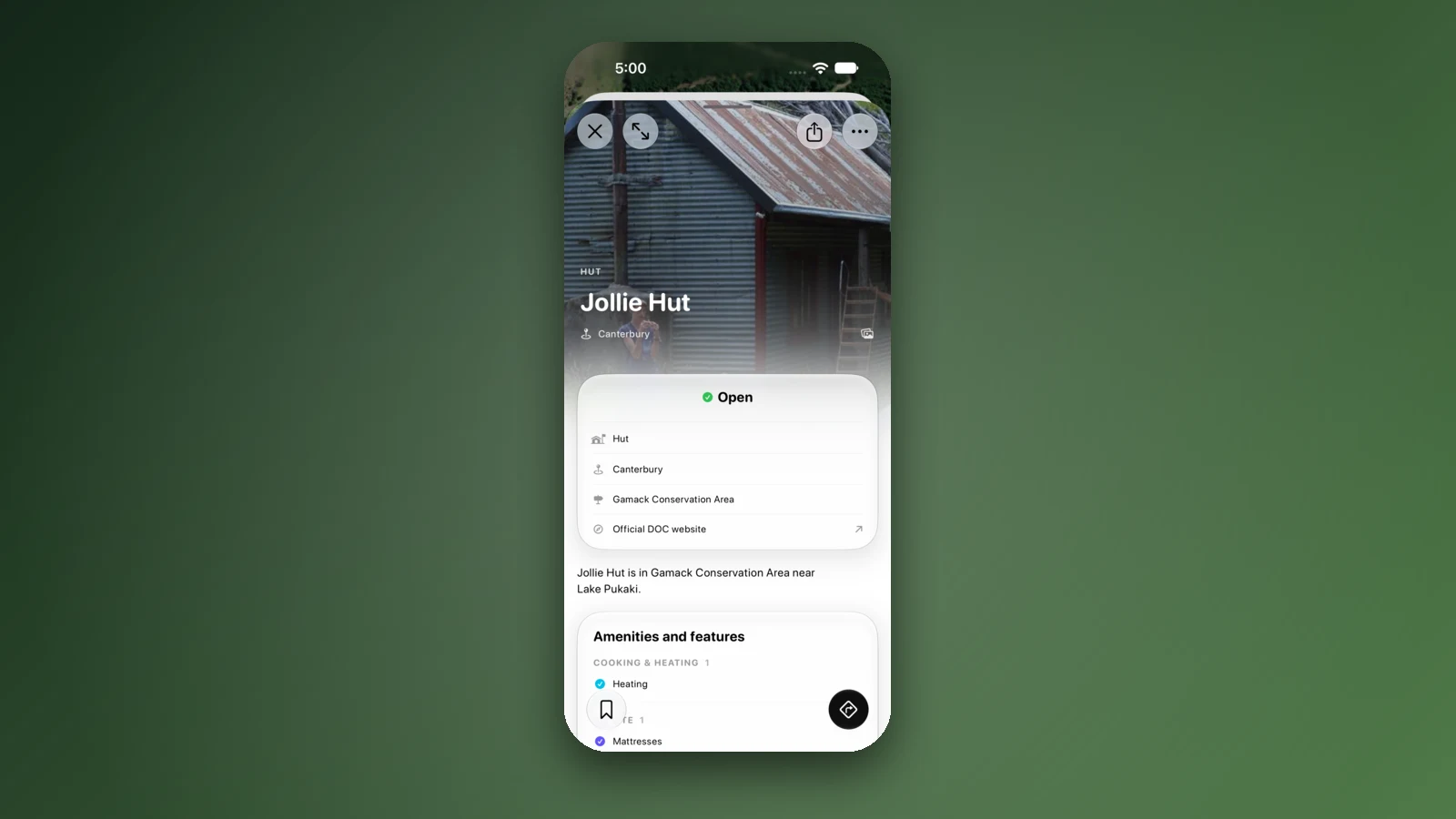
- DOC fees, dog rules and bookings
- DOC freedom camping notices
- A link to DOC on every place
Filters that find the right spot
Dogs allowed, 4WD access and Caravan access have their own Pets and access section in the filters. Popular features such as toilets, water and showers narrow it down further.
Choose several and a place has to have every one of them, so Campervans, Hot showers and Dogs allowed together only show spots that tick all three boxes. Many WikiCamps users say its filters show places that match any choice instead. Set the cost to Free and DOC's free campsites appear.
- Dogs allowed, 4WD and Caravan access
- Every filter must match
- Free DOC campsites by cost
Plan the trip your way, and together
Set your home address once in the You tab, then tap Start at Home or Finish at Home on any trip. Add stop searches your saved pins, places in the app, your current location or any address, so your own favourite spots go in too. Every stop shows on the route with its distance and drive time.
Travelling as a pair? Tap Share on the trip and choose Collaborate. You both add, reorder and tick off stops, and the changes show up for each other within seconds, with no account or login. For family back home, Send copy gives them a link they can open in any web browser.
- Start and finish at Home
- Add any address or pin
- Plan live with Collaborate
Why campers switch to KiwiCamping
Tramping or Great Walks: DOC's hut fees and booking needs are right there, with a link to book. Campervan or caravan: the Campervans and Caravan access filters do the sorting for you. Travelling as a couple: Collaborate keeps one trip on both phones.
Along the way, the You tab fills in a map of where you have been, shows how much of New Zealand you have seen, and counts your kilometres, nights camped and places stayed. KiwiCamping is free to download, with in-app purchases, and has no account and no ads.
- Huts and Great Walks
- Campervans and caravans
- A map of where you've been
Places along the way
Check before you go
Rules and conditions change. Recheck the official source and the page for your exact park or campground before departure.
Common questions
Is WikiCamps NZ worth it in 2027?+
It is cheap at NZ$7.99, but it needs an account and shows ads. For no login and no ads, KiwiCamping is free to download, with in-app purchases.
Is WikiCamps NZ good for a campervan trip?+
It works, but you have to stay signed in, and many users say it logs them out. KiwiCamping needs no account and has Campervans and Caravan access filters.
Do I need WikiCamps for New Zealand?+
No. KiwiCamping shows every DOC campsite, hut and track and DOC's freedom camping notices, with no account.
What is the best camping app for New Zealand?+
We think KiwiCamping, which we make: every DOC campsite, hut and track, filters that must all match, live trip sharing, and no ads or login.
Is KiwiCamping a good alternative to WikiCamps?+
Yes. It opens straight to the map with no account, shows no ads, and lets you plan a trip with your partner live.