Yes. Since WikiCamps' big update, WikiCamps NZ needs an account, and you sign in with a code sent to your email. KiwiCamping skips all of that: there is no account, so you open the app and you're straight on the map. We make KiwiCamping, and here's what having no login means on a New Zealand road trip.
Why the WikiCamps login gets in the way
Lots of WikiCamps users say the new version keeps logging them out, and getting back in means waiting for an emailed code. That's no fun at a campsite with no signal.
It's also one of the main reasons people find WikiCamps NZ not working the way it used to. Many say the new version is harder to use, and that it shows ads in an app they paid for.
- Account and emailed code
- Logged out with no signal
- Ads in a paid app
KiwiCamping: no account, no login, no ads
KiwiCamping has nothing to sign into. No email, no password, no code, and nothing that can log you out halfway down the West Coast.
Your saved places, collections, pins and trips sync quietly through the iCloud already on your iPhone. There are no ads either, and KiwiCamping is independent: it shows DOC's free and low-cost campsites right next to paid holiday parks. It's free to download, with in-app purchases.
| WikiCamps NZ | KiwiCamping | |
|---|---|---|
| Account | Required | None |
| Signing in | Emailed code | Not needed |
| Logged out at camp | Users say it happens | Never: nothing to log out of |
| Ads | Yes, in a paid app | None |
| Your phones in sync | Through your WikiCamps account | Through your iCloud |
- Nothing to sign into
- Syncs through your iCloud
- No ads, independent
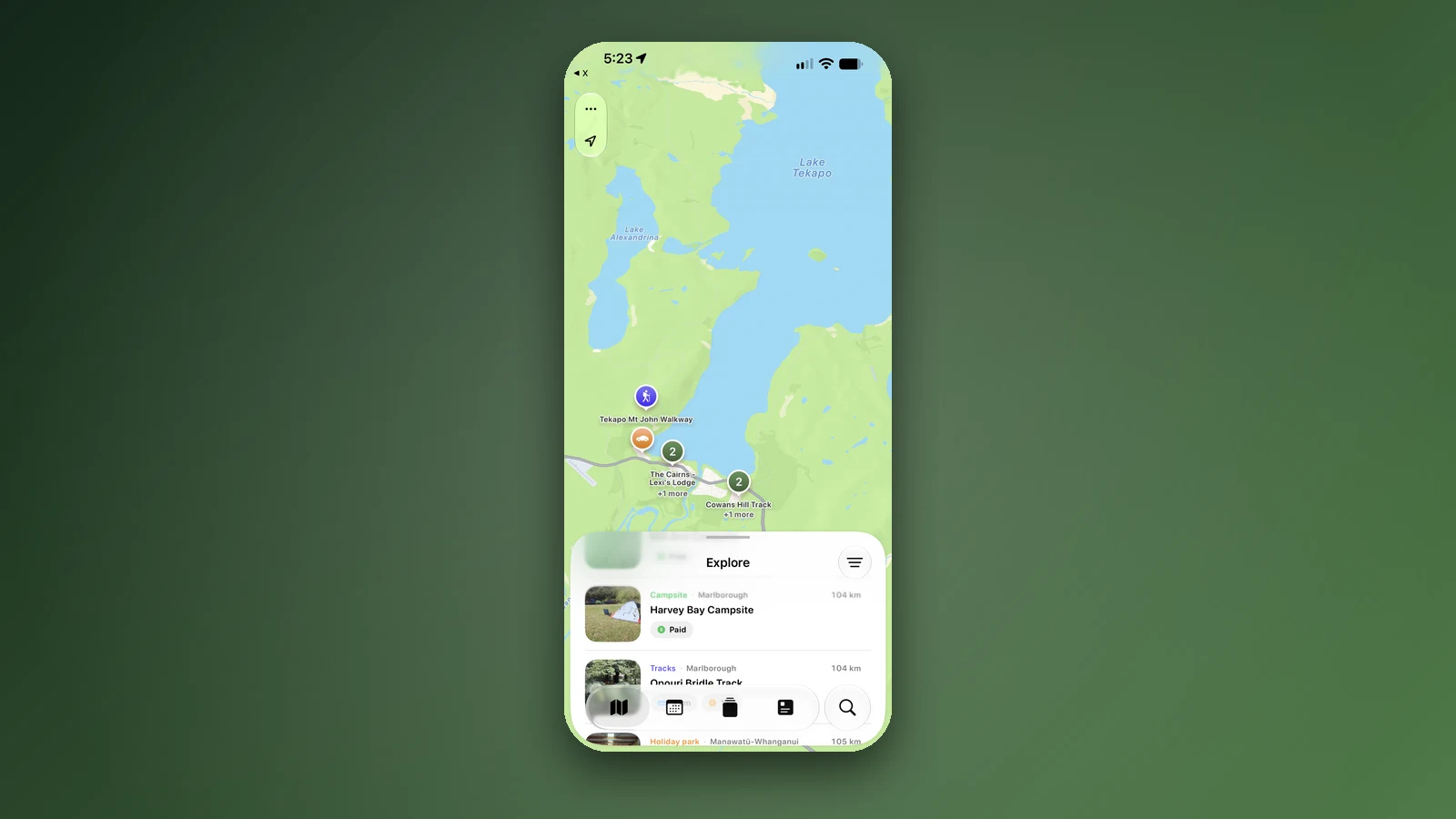
Open it and you're on the map
There's no welcome screen to get past. The map of New Zealand is the first thing you see, with campsites, huts and holiday parks around you.
Tap filters and Dogs allowed, 4WD access and Caravan access have their own Pets and access section. Pick a few and every place shown matches all of them. Tap a place for its fees, facilities and rules, then add it to your trip.
Place details, your saved places and your trips all stay on the phone, so they still open without reception.
- The map comes first
- Dogs allowed, 4WD and Caravan access
- Details open with no signal
Plan with your partner, still with no account
Travelling as two? Tap Share on a trip or a collection and choose Collaborate. Your partner joins through iCloud, and you can both add and reorder stops, tick them off and edit notes. Changes show up on both phones within seconds.
For family back home, share the trip with Send copy instead: a link that opens in any web browser with your stops, dates and notes.
- Collaborate live through iCloud
- Both of you can edit
- Send copy for family
A new phone? Nothing to sign into
Set up a new iPhone with your Apple Account and your trips, collections and saved places come across by themselves. Nothing to remember, nothing to reset.
Before you fly, install KiwiCamping on Wi-Fi and save your first few nights. If one is a booked DOC campsite or a Great Walk hut, add it to a trip with its date, so the plan is ready when you pick up the van.
- New iPhone, same trips
- Install on Wi-Fi before you fly
- Add booked nights first
Places along the way
Check before you go
Rules and conditions change. Recheck the official source and the page for your exact park or campground before departure.
Common questions
Does WikiCamps need an account?+
Yes. The new version of WikiCamps NZ asks you to create an account and sign in with a code it emails you.
Why does WikiCamps keep asking me to sign in?+
The new version is tied to an account, and many users say it logs them out from time to time. KiwiCamping has no account, so there's nothing to sign back in to.
Is there a NZ camping app without a login?+
Yes. KiwiCamping, which we make, has no account, no login and no ads. It opens straight to the map.
Does KiwiCamping need an account?+
No. Your places and trips sync through the iCloud already on your iPhone.
Can my partner and I share a trip without an account?+
Yes. Tap Share on the trip and choose Collaborate. You both edit the same trip through iCloud, and changes show up within seconds.