To share a road trip itinerary from KiwiCamping, tap Share on your trip. Choose Collaborate to plan it live with your partner, Send copy to give family a link they can open in any web browser, or Share as image for a picture of the route. We make KiwiCamping, and here's how each one works on a New Zealand trip.
Three ways to share a road trip itinerary from KiwiCamping
Each option suits a different person. Your travel partner gets the real trip to edit, family at home get a link that just works, and the group chat gets a picture worth looking at.
None of them needs an account or a login, and Collaborate runs through the iCloud already on your iPhone.
| Option | Best for | What they get |
|---|---|---|
| Collaborate | Your travel partner | The same trip, live: both of you can edit |
| Send copy | Family and friends | A link to the trip that opens in any browser |
| Share as image | Group chats | A picture with the route, stops, dates and nights |
- Collaborate for your partner
- Send copy for family
- Share as image for the chat
Plan together with Collaborate
Tap Share on a trip, or on one of your collections, and choose Collaborate to invite your partner through iCloud. From then on it's one trip for two.
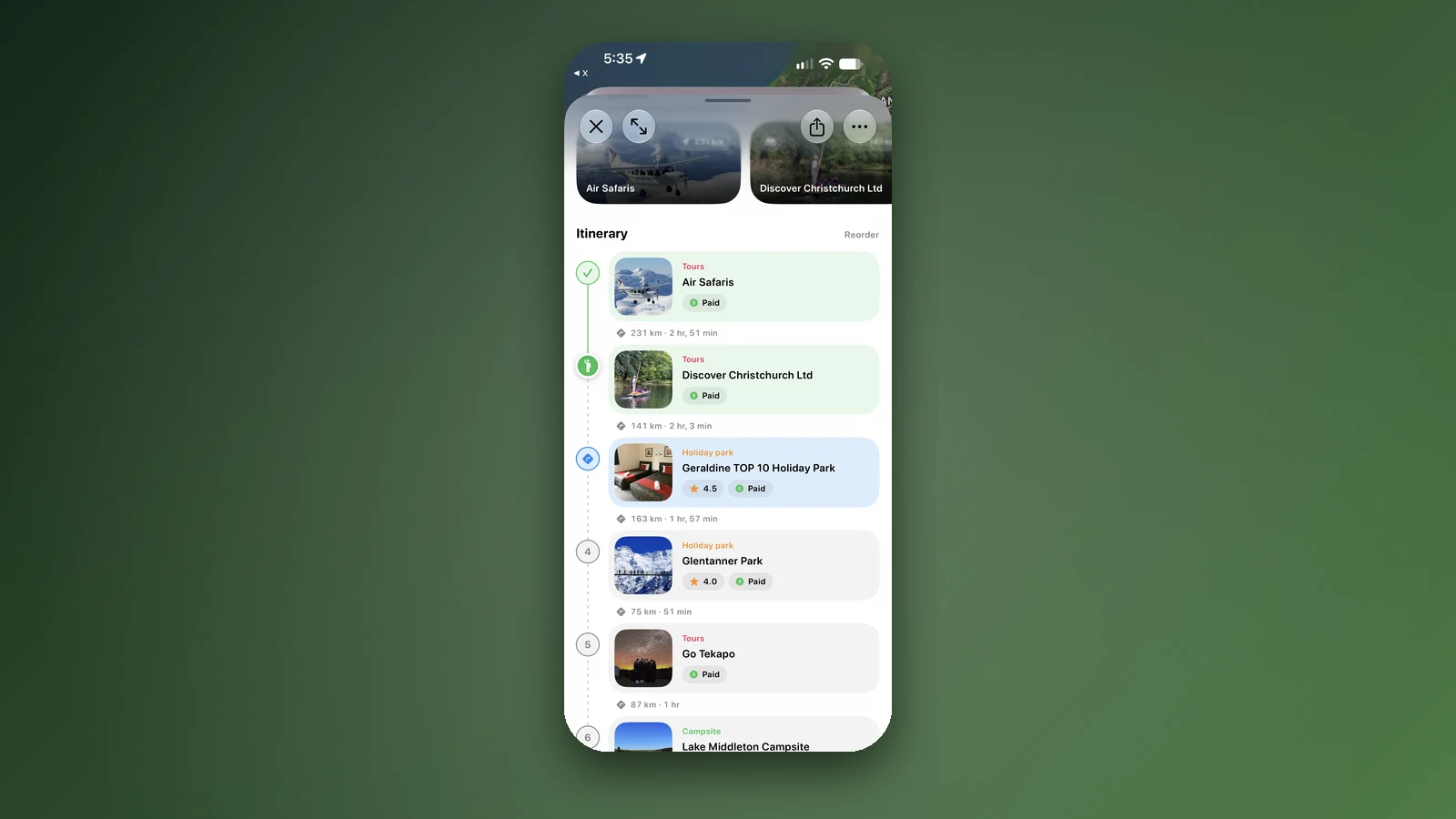
You can both add stops in the trip planner, drag them into a new order, tick them off and edit the notes. Changes show up on the other phone within seconds, so whoever is in the passenger seat can plan tomorrow while the other drives.
- Invite through iCloud
- Both add, reorder and tick off
- Changes in seconds
Send copy: a link family can open anywhere
Send copy makes a link anyone can open in a web browser, on a phone or a laptop. It shows the trip's stops, dates and notes, so Mum can see which night you'll be in Wānaka.
If they have KiwiCamping, they can save the trip to their own trips with one tap. It's also the easy way to look at your own plan on a laptop at home.
- Opens in any browser
- Stops, dates and notes
- Save it with the app
Share as image for the group chat
Share as image turns the trip into a picture: the route on the map, every stop, the dates and how many nights you're staying. Drop it in the family chat or post it before you go.
It's the quickest way to answer "so where are you going?" without a long message.
- Route, stops, dates and nights
- Perfect for chats
Send one place
Sharing a single campsite, hut or holiday park sends its page with a photo preview. Anyone who has KiwiCamping opens it straight in the app, and everyone else gets the web page.
It's ideal for travelling in two vans: send tonight's spot and everyone knows where to meet.
- Photo preview
- Opens straight in the app
Keep the family in the loop
Put an arrival date on every stop before you share, so family can follow along day by day and see how long your driving days are. Send a fresh copy after big changes.
Tell them about the quiet stretches too. A day without reception on the West Coast or in Fiordland is normal, and dated stops show them you're simply between towns. Turn on Sync to calendar for a trip and its stops and dates land in your calendar as well.
Heading into the hills? Leave your route and an overdue time with someone you trust, as the Mountain Safety Council's Plan My Walk and AdventureSmart advise.
- Dates on every stop
- Calendar sync
- Leave intentions for tramps
Places along the way
Check before you go
Rules and conditions change. Recheck the official source and the page for your exact park or campground before departure.
Common questions
How do I share my NZ itinerary with family?+
Tap Share on your trip in KiwiCamping and choose Send copy. Family get a link that opens in any web browser with your stops, dates and notes.
Can my partner and I edit the same trip?+
Yes. Choose Collaborate when you share the trip. You both add, reorder and tick off stops, and changes show up within seconds.
Does the person I share with need the app?+
Not for Send copy: the link opens in any web browser. With the app, they can save the trip to their own trips.
Do I need an account to share a trip?+
No. KiwiCamping has no account; sharing runs through iCloud.
Can I put my trip in my calendar?+
Yes. Turn on Sync to calendar for the trip, and its stops and dates appear in your calendar.