If WikiCamps New Zealand keeps asking you to sign in, blocks you with an update screen or has not felt right since the rebuilt app arrived, you do not have to spend a South Island day fixing it. KiwiCamping is a New Zealand camping app for iPhone that opens straight to the map: no account to create, DOC campsites, huts and tracks from the Department of Conservation's own data, and a trip planner built around the road you will actually drive. We make KiwiCamping, so this guide is ours. It covers why travellers are switching, what KiwiCamping does for them, how to move a trip over in a few minutes and where WikiCamps is still the better fit.
Why travellers are leaving WikiCamps
Forced updates. Since March 2026, a WikiCamps version that falls too far behind refuses to open until you update it, and on the West Coast or in Fiordland that screen can appear miles from any signal.
Account sign-in. The rebuilt app needs a WikiCamps account, and plenty of travellers find themselves signing in again and again or waiting on a verification email at a campsite with no reception.
Problems after updates. Trips and favourites that seem to vanish, features that moved or went away with the old version, and a map that behaves differently from the one people learned.
No PC version. The Windows app was discontinued, which hurt anyone who planned their trip on a laptop before flying in.
- Update screens far from signal
- Sign-in loops and verification emails
- Old features gone with the old app
What KiwiCamping does differently
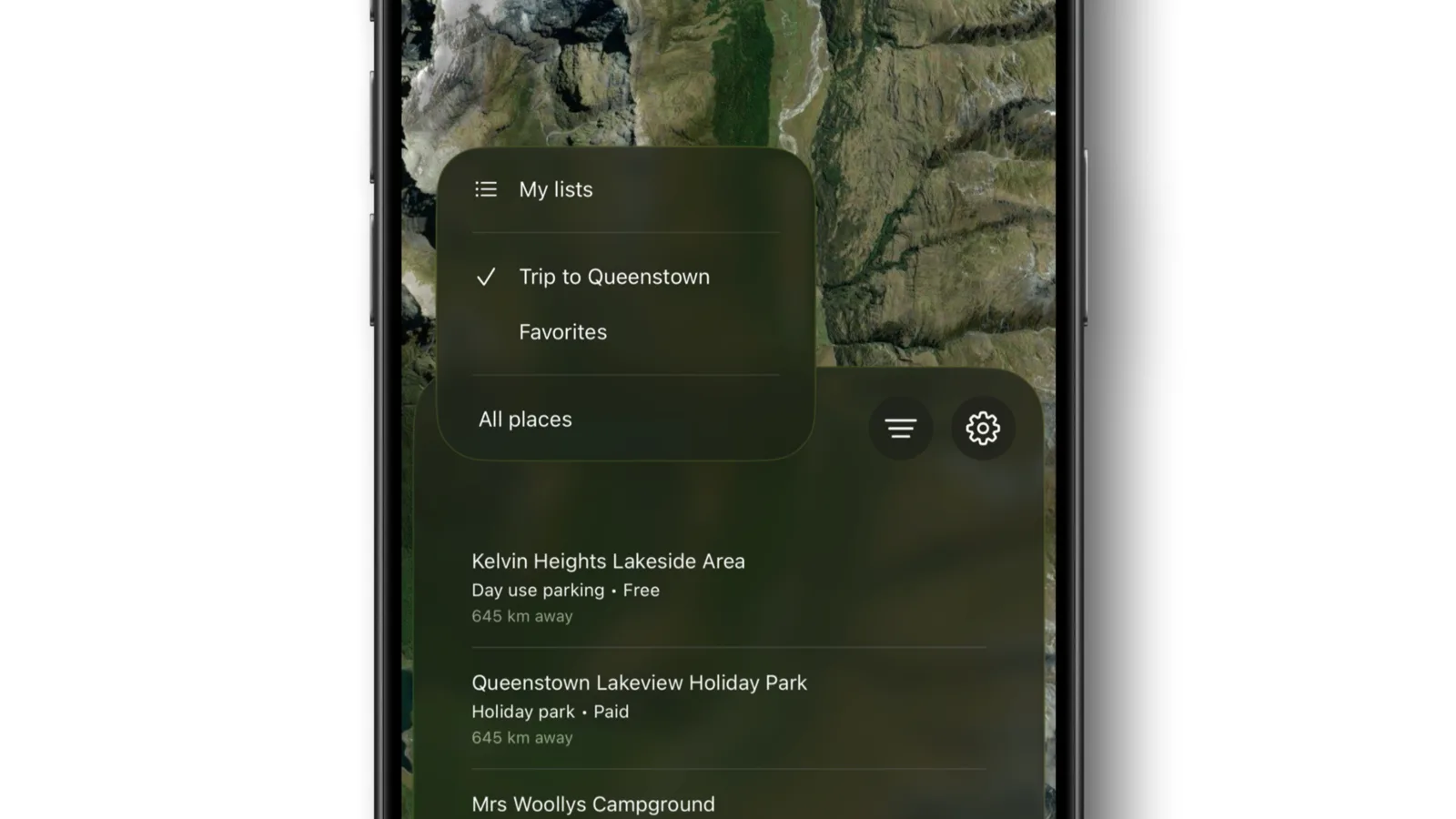
KiwiCamping opens straight to the map. There is no account, no login screen and no verification code: with iCloud turned on, your saved places, collections and trips sync privately through the Apple Account already on your phone.
Its 287 DOC campsites, 927 DOC huts and 1,453 DOC tracks come from the Department of Conservation's own data, with DOC's fees, dog rules and booking requirements and a link to DOC's page, alongside holiday parks, freedom camping areas, public dump stations and day-use places across both islands: more than 6,500 places in all. The place directory is bundled with the app, so names, fees, facilities and conditions stay readable with no signal. Weather, directions, Look Around and photos need a connection.
Every place opens with the detail that decides it: photos, a description, fees, terms and conditions, facilities grouped by type, current alerts, contact and booking details, the weather, and Apple Look Around to see the entrance from the road before you commit the van to the turnoff.
- No account, no login screen
- DOC campsites, huts and tracks from DOC's data
- Place details readable with no signal
287 DOC campsites, 927 huts and 262 dump stations in one app
A trip planner built for the road
The trip planner is the heart of the app. Add saved places as stops and drag them into the order you will drive. Every leg shows its distance, directions open to the next stop, and each stop carries its own date, arrival notes and weather. Tick stops off as visited while you travel, keep nearby alternatives attached for the days that change, and keep the packing list beside the itinerary. Itinerary details can sync to Calendar.
Saved places look after themselves. Liked, Starred, Want to visit and Visited fill as you mark places, and you can build your own named collections for an island, a season or a shortlist. Filters answer a real question, such as free camping areas with toilets and drinking water near Queenstown, and can narrow by place type, fee, rating, online booking, region, dogs and detailed facility and access features.
- Ordered stops with distance per leg
- Dates, notes and weather on every stop
- Collections that fill themselves
How to switch and move your trip over
There is no import from WikiCamps, so you rebuild the trip, and for most trips that takes a few minutes. Open your WikiCamps trip while it still loads, or write down the stops, then follow the steps below.
Start with the nights that are booked, such as DOC campsites in summer or a ferry crossing, and fill the gaps later. If a place you used in WikiCamps is not in KiwiCamping, search the area for a campsite or freedom camping area nearby; filters for fee, facilities and dogs make that quick.
| Step | What to do |
|---|---|
| 1. Download | Get KiwiCamping from the App Store; it opens without an account |
| 2. Find each stop | Search by place name, or move the map and search the visible area |
| 3. Save it | Star each stop or add it to a collection for the trip |
| 4. Build the trip | Create a trip, add the saved places and drag them into order |
| 5. Add the details | Set a date and arrival notes on each stop and check the weather |
- Rebuild, do not import
- Booked nights first
- Fill the gaps with filters
KiwiCamping and WikiCamps compared
Both apps help you find somewhere to sleep around New Zealand, but they are built differently. WikiCamps grew on places its users add and runs on Android as well as iPhone. KiwiCamping starts from DOC and other official sources and is built around planning the trip.
Be clear about what you give up. KiwiCamping runs only on iPhone (iOS 26 or later), lists fewer places than WikiCamps and has no traveller reviews, so some people keep both. If you use Android, our WikiCamps alternatives guide compares other options.
| KiwiCamping | WikiCamps | |
|---|---|---|
| Account | None; syncs through iCloud | WikiCamps account required |
| Where places come from | DOC and other official sources | Mostly added by users |
| Trip planning | Ordered stops, dates, notes, weather and distance per leg | Trips with stops |
| Traveller reviews | No | Yes |
| Devices | iPhone | iPhone, iPad and Android |
- Official data versus user listings
- No account versus a required account
- iPhone only, no traveller reviews
Get KiwiCamping
If WikiCamps has stopped working for you, KiwiCamping is a free download from the App Store. Open it, search your next stop and save it, and you are planning again in minutes.
Rules on the ground still come first. Follow the sign at the site, the council bylaw, DOC and any current closure advice, whatever an app says.
- Free download, no account
- Search, save, plan
- Signs, councils and DOC come first
Places along the way
Common questions
WikiCamps is not working. What can I use instead?+
KiwiCamping is an iPhone camping app for New Zealand with DOC campsites, huts and tracks from the Department of Conservation's own data and more than 6,500 places in all. There is no app account to create, place details stay readable without signal, and saved places turn into a trip with stops, dates and the distance for each leg.
Does KiwiCamping make me sign in?+
No. There is no KiwiCamping account or login screen. With iCloud turned on, your saved places, collections and trips sync privately through your Apple Account, and a purchase is restored through the same Apple Account.
Can I move my WikiCamps trip to KiwiCamping?+
There is no import, so you rebuild the trip. Search for each stop, save it, then add the saved places to a new trip and drag them into the order you will drive. Most trips take a few minutes.

On the map
Find tonight's camp on the map.
Free to download. BookIt holiday parks and tours are free to browse and book; DOC campsites, huts, dump stations, the in-app guides and trip planning need the Premium pass.
KiwiCamping is an iPhone app. There is no Android version.